The Complete Guide to AI Product Photography in 2025
It’s been an interesting year for business owners for several reasons. One is that you can sell your products from wherever you are to any part of the world (thanks to technology). But the fact that you can also create studio-style product pictures without visiting a studio or setting up a shoot at home is the biggest highlight.
Gone are the days when the only options were booking appointments with photographers or setting up home shoots. It takes a lot of effort, attention, and creativity. But as of 2025, AI product photography has taken over and gets the job done.
It means that whether you’re a small business owner or a big brand, you don’t have to spend too much time or money on product pictures. You can create studio-quality product pictures with your phone or laptop in a matter of minutes.
However, you need to understand how they work, what to look for, and which platform gives the best results. This guide breaks it all down so you can make the right choice for your business.
The Progression of Manual Product Photography to AI Product Photography
Manual product photography was the only go-to for years, and it had its own advantages. A professional photographer can control lighting, composition, and angles to create the right style for your brand. But then, it can be really expensive and time-consuming.
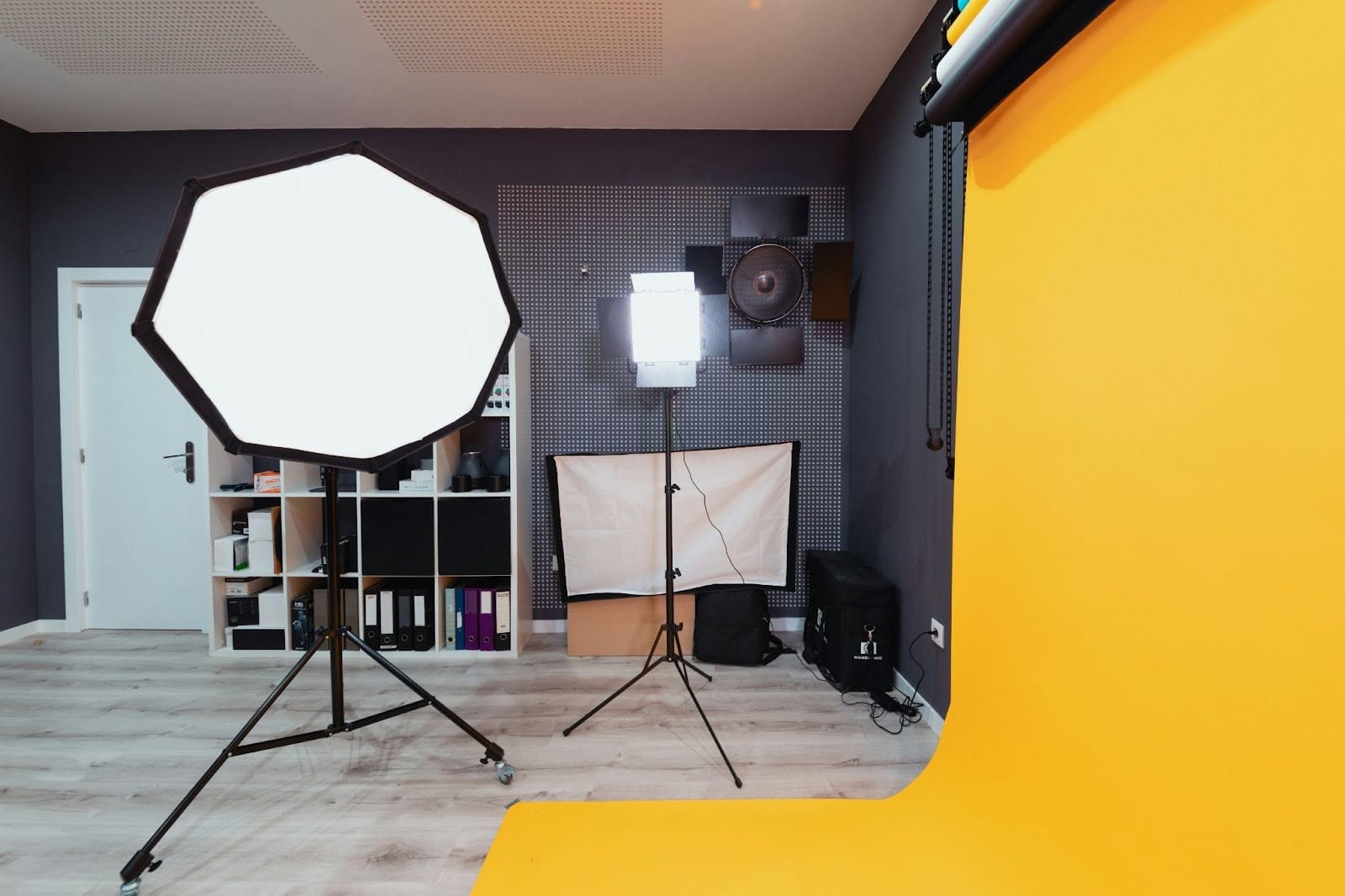
Then people started getting creative and doing their shoots at home, which also had its shortcomings. You need gadgets like a tripod and a camera (or even a good iPhone). You also need some sort of lighting, like ring lights or LED lights. These could be really draining in terms of time, energy, and money. If you’ve ever done a home shoot, you know the struggle. The editing part can make you lose your mind if it’s not something you enjoy. Now imagine you need to add multiple backgrounds, take lifestyle shots, try out different angles, etc. —It's draining.
AI product photography is an absolute game-changer. These AI tools can generate lifestyle scenes or themed setups that would have required serious planning and investment.
Advantages of Using AI for Product Photography
Speed
Compare the time you’d use to plan, shoot, and manually edit pictures to using an AI tool for similar results in minutes. It can generate multiple angles, backgrounds, and images from a single product photo. If you’re a business that constantly updates inventory, launches new products, or runs multiple ad campaigns, speed is important.
Unlike manual or traditional product photography, where you have to wait for appointments, AI is at your fingertips even at 3 AM. It may sound funny, but it’s true, and that’s one of the perks.
Consistency
Brand consistency is important, and your product pictures are a way to show it. The thing with manual photography is that it can vary for different reasons.
The lighting, camera settings, and photographer’s mood have the potential to affect the output. But with AI image generation tools, consistency is easily maintained.
Cost-effectiveness
Studios don’t smile when charging you. Even if you want to try it yourself, you need the right tools.
AI reduces these costs because it removes the need for almost every physical resource. You can create many product images, variations, and backgrounds without paying for additional shoots or editing time.
Creativity
Human creativity can be limited by things like health, creative block, etc. AI, on the other hand, is always ready with creative ideas. Lack of physical resources like props can also limit how creative we can be, but with AI, there are literally no limitations when it comes to creativity.
This way, you’re able to tell your brand story through product pictures and connect more with your audience. All this at no extra cost.
Real-time Adjustments
One of the top advantages of AI is the ability to make needed adjustments in real time. This flexibility makes AI photography a great option, especially for e-commerce stores that want to do things like AB testing.
Things to Look Out for in AI Product Photography Tools
Realistic Lighting and Shadows
There are different AI product photography tools out there, but many of them fall short in this area. If you see a product picture with unrealistic lighting or shadowing, you can tell. It’s one of the ways to put potential customers off and make them scroll past.
This is why realistic lighting and shadowing should be one of the first things you look for. Choose a tool that reproduces soft, natural shadows, accurate reflections, balanced highlights, and lighting that doesn’t compromise how realistic the image looks.
Accurate Product Details
Imagine a customer buying a pink bag and getting a peach one just because the colour they saw was incorrect. It’s misleading, and people cannot trust you.
Some AI tools distort the product’s shape, warp labels, or alter colours slightly. These things can make people stop trusting you.
High-Resolution Images
One thing with humans nowadays (including you) is that we judge things by the way they’re presented. A good AI tool should generate studio-standard images that are crisp and clear.
Even if your concept is great, the image quality is what truly draws people in.
Background Control
You need a tool that allows you to adjust and customise image backgrounds whenever and however you want to. You should be able to replace backgrounds, upload brand references, and create background concepts that match your brand’s aesthetic. If a tool doesn’t allow you to do this, it’s not the one for you.
Brand Asset Integration
If you cannot upload your logos, colours, props, packaging, and textures to ensure that every AI-generated image aligns with your brand identity, there’s a problem.
There has to be uniformity across all your images so that your audience doesn’t get confused. These are the elements that give this uniformity. So, look out for a tool that allows you to upload these things.
In-built Editing Feature
As good as AI tools may be, sometimes you may need to make small adjustments. It could be color correction, object addition or removal, texture refinement, etc. Be sure that the AI tool you’re using allows you to edit right in it.
Export Options
There has to be flexibility for multiple export formats like JPG, PNG, HEIC, and so on. This is important, especially when you want to use the images across websites, marketplaces, social media, ads, and print without additional work.
Cost
Even though AI for product images is way cheaper than manual one, some tools are pricier than others. This is the point where you have to be honest with yourself and know which one fits your budget.
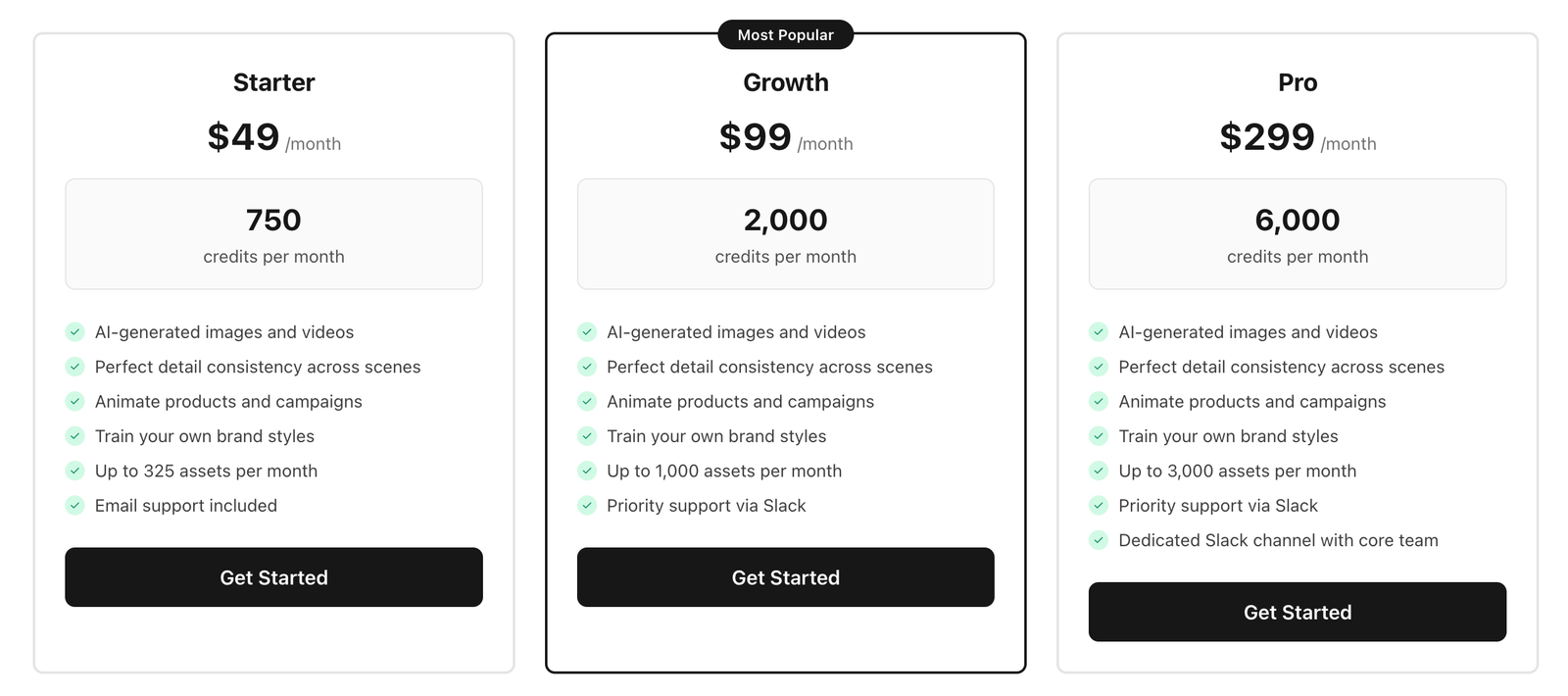
You want a tool that you can constantly renew the subscription for, so you don’t compromise on your brand consistency. You don’t necessarily have to go for the cheapest. Compare the cost-to-value advantage before committing to a tool. Pikes AI, for instance, charges $49/month, making it one of the cheapest but most reliable in the market.
Easy Steps to Creating AI Product Images
- Choose a good platform and sign up.
- Try out a free plan and upgrade to a paid one.
- Upload your reference image and generate new ones.
- Edit where necessary.
- Export and publish.
Pikes AI: Best AI Product Photography Tool in 2025
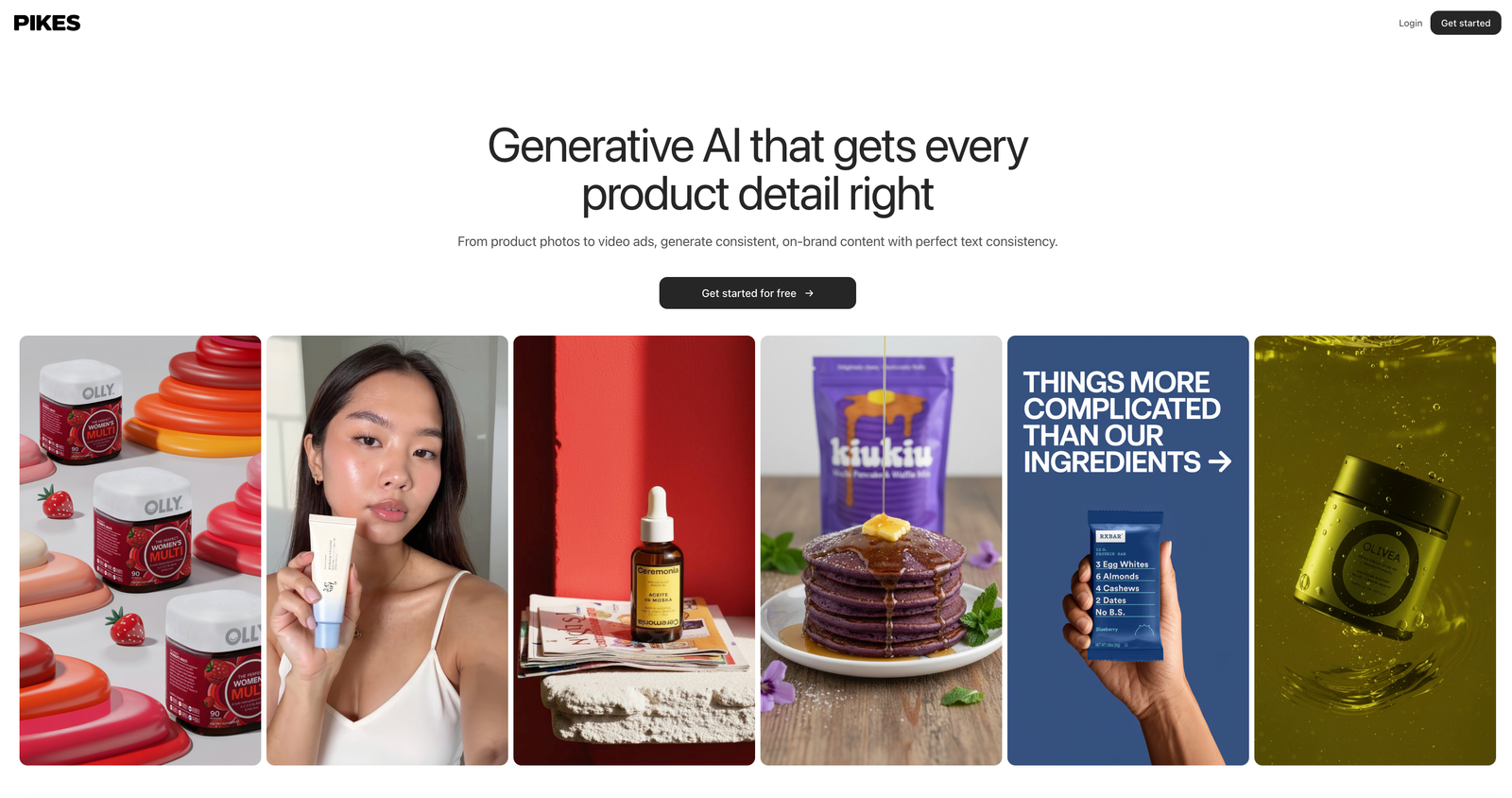
Pikes AI is easily one of the best AI photography tools in the market for realistic AI product rendering. It creates studio-quality product pictures especially for consumer brands, and its creativity is very commendable. We already buttressed how important it is that your images look as realistic as possible, and this tool delivers on that. You can hardly tell that the images are AI-generated. But it doesn’t stop there; it is consistent and stays on-brand so that your customers don’t get confused.
Another thing that makes Pikes AI stand out is the fact that you can generate lifestyle images as well. You don’t have to hire models to get it done, and this saves money for you. And you can generate as many images as you want.
Also, the tool is not only creative but also generates high-resolution images. These high-resolution outputs are suitable for online marketplaces, ads, social media, print campaigns, packaging mockups, and even billboards. Its built-in editing tools allow users to edit exposure, colour, shadows, backgrounds, and textures all on the same platform.
It’s easy to use. You don’t need to rack your head for prompts or know lines of code. As long as you can express what you want, no matter how simple your description is, Pikes AI generates images that match. There’s also an in-platform tool that can help make your prompts better if need be.
Pikes AI is one of the cheapest you’ll find. It charges $49/month, and you can generate up to 325 brand images every month. Basically, Pikes AI has all the things we’ve advised you to look out for in an AI product photography tool.
Conclusion
Now you see that AI product photography isn’t something you should be running away from. Rather, you should lean more into it as a business owner. This also depends on the tool you use because the wrong tools would give you terrible results.
When you use tools like Pikes AI, you use a tool that completely gets you. It’s flexible, realistic, consistent with your brand, very creative, creates studio-standard, high-quality images, and is cost-effective.
You can start by signing up, using the trial plan, and upgrading to a paid plan when you feel ready.
Frequently Asked Questions (FAQs)
What are the free AI Product Photography tools out there?
There are many free AI tools, but you need to be careful with using free AI tools. Many of them come with limitations like low resolution, watermarks, or limited backgrounds. You can use them to experiment or test different concepts, but not for actual product images.
One thing that shows you’re a serious brand is that you can invest in paid tools like Pikes AI to get realistic images for listings, ads, and social media campaigns. What you can do is compare costs to see which is best for you. But sticking with a free plan isn’t the way to go.
Is AI Product Photography cost-effective?
Yes, AI product photography is very cost-effective. Manual product photography requires you to pay studio fees (which isn’t cheap), get props, factor in logistics, etc. But AI doesn’t need all of that. You only need your device, an internet connection, and a good tool like Pikes AI.
If you’re a small business looking to save costs and still achieve solid results, AI product photography is your best option. You can even start with a free plan and then upgrade after that.
Can AI replace traditional Product Photography?
Yes, it can. AI has replaced traditional photography for most everyday e-commerce needs, including product listings, social media visuals, lifestyle shots, and promos.
Manual photography is still preferred for large-scale, high-concept campaigns where human models, real props, or large sets are needed. Still, AI provides a faster, cheaper, and highly scalable alternative for the majority of product photography needs.
What is the best AI tool for Product Photography in 2025?
Pikes AI is considered the best AI tool for product photography in 2025. It is realistic, accurate, creates studio-quality images, and is cost-effective. It is also easy to use, such that you don’t need extensive knowledge of AI to use the platform.
It also has built-in editing features so you can adjust different things as you see fit. If you’re a business owner looking to save cost and time but still maintain great quality images, you should check out Pikes AI.